Data bundles
Buy data plans for MTN, Airtel, Glo and 9mobile with clear pricing and quick delivery.
Buy dataRecharge any Nigerian network, buy affordable data plans, pay electricity and cable TV bills, and get exam pins without moving between different platforms.

A practical platform for personal use, business use and resellers. Choose a service, enter the required details and complete your payment.
Buy data plans for MTN, Airtel, Glo and 9mobile with clear pricing and quick delivery.
Buy dataRecharge Nigerian mobile numbers directly from your wallet without entering USSD codes.
Buy airtimePay prepaid or postpaid electricity bills and receive available token details after payment.
Pay electricityRenew DStv, GOtv and Startimes subscriptions from a single, straightforward checkout.
Renew subscriptionPurchase supported result-checking pins and retrieve the details from your transaction record.
Buy exam pinKeep track of purchases, references, amounts and transaction status from your account.
View transactionsRegister with your basic details, sign in and access your personal dashboard.
Add money using any funding method available inside your account.
Select the service you need, confirm the details and complete the transaction.
Switch between networks to see a selection of available plans. Your dashboard contains the complete list.
Everything is arranged around the actions users need most, without unnecessary steps or distracting screens.
Short purchase flows help users move from service selection to payment confirmation quickly.
Authentication and transaction records help users keep control of activity on their accounts.
Service details, phone numbers, meter numbers and amounts can be reviewed before payment.
Use the contact details below when you need help with an account or transaction.
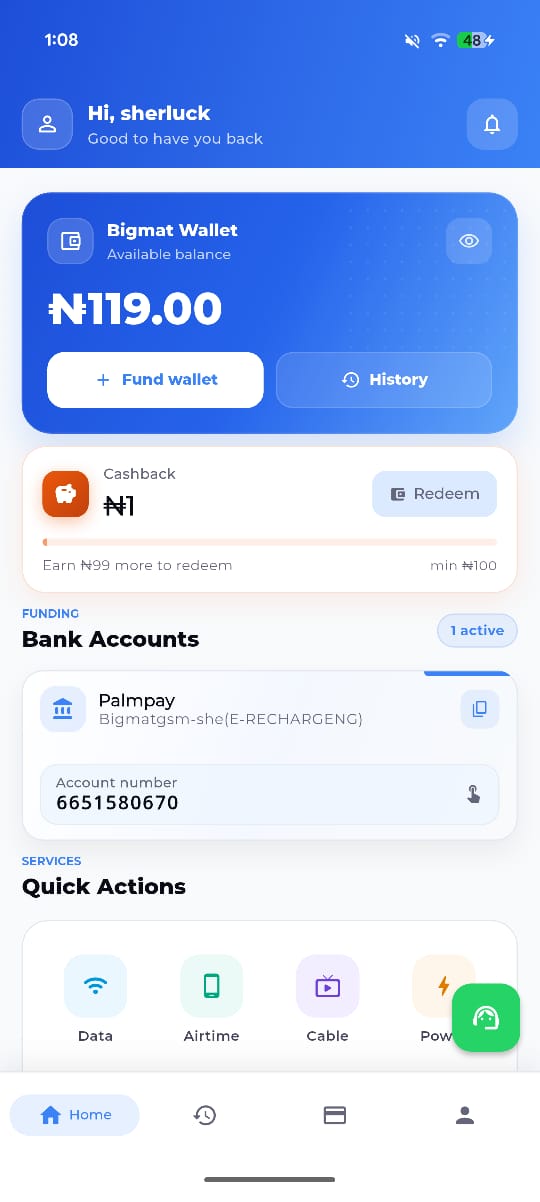
Download the bigmatgsm Android app to buy data, recharge airtime, pay supported bills and review your transactions from your phone.
Available for supported Android devices.
For account-specific help, contact support with your transaction reference.
You can use the available dashboard options to buy data and airtime, pay supported electricity and cable TV bills, and purchase supported exam pins.
Yes. Your account gives you access to wallet funding, service forms and your transaction history.
Sign in and open your transaction history. Keep the transaction reference available when contacting support.
First check the current status in your account. If it remains unresolved, contact support and include the phone number or account details used and the transaction reference.
Yes. The website is designed to work across modern mobile phones, tablets and desktop browsers.
Create an account, fund your wallet and access all currently supported services from your dashboard.